

Chest Shops
Restricted: only its creator, the people they add and admins can edit this page.
Chest Shops are a feature in Pactoria that allows players to trade with other players through chests. They have two modes: Buy shops and sell shops.
Buy shops
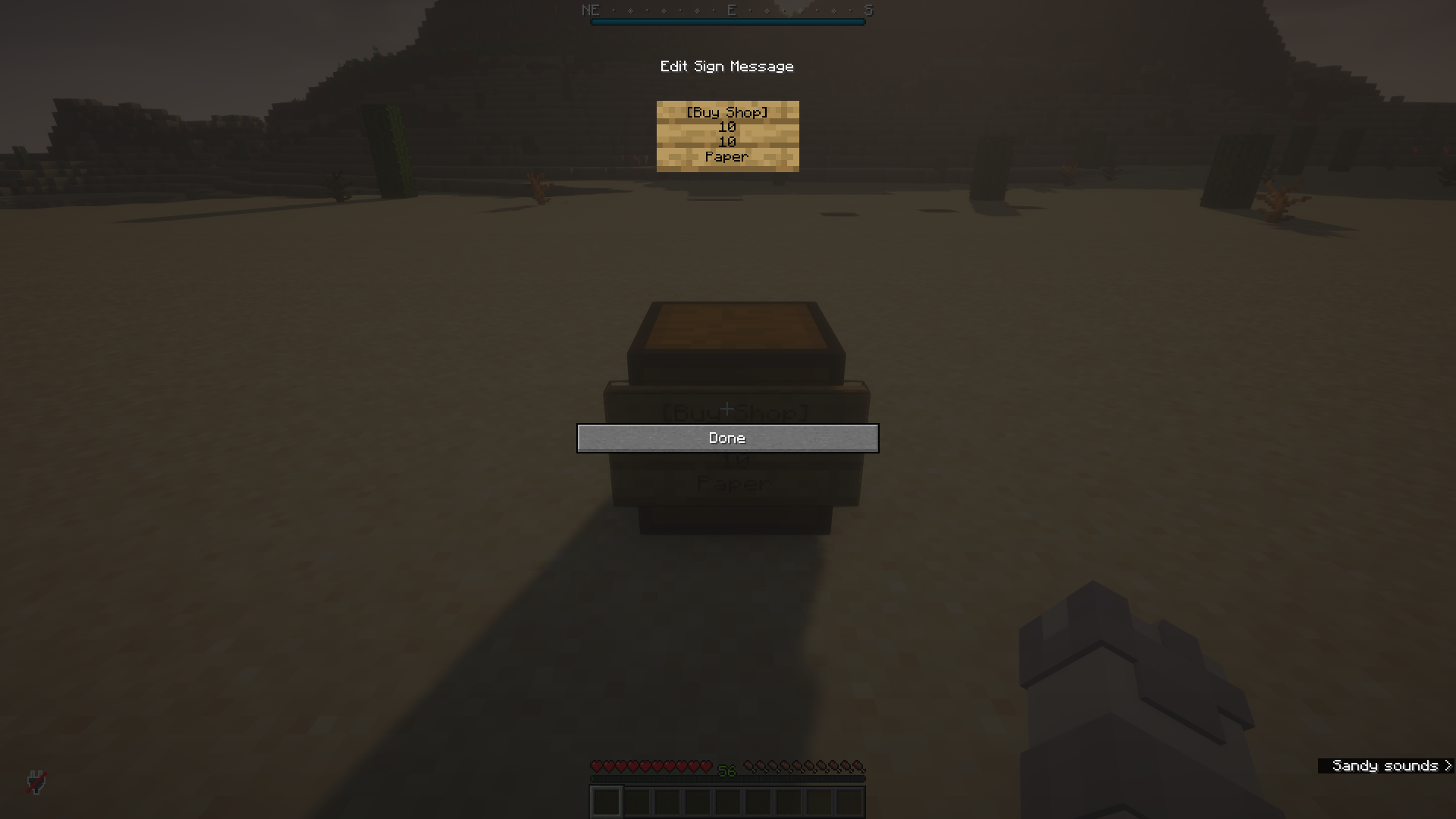
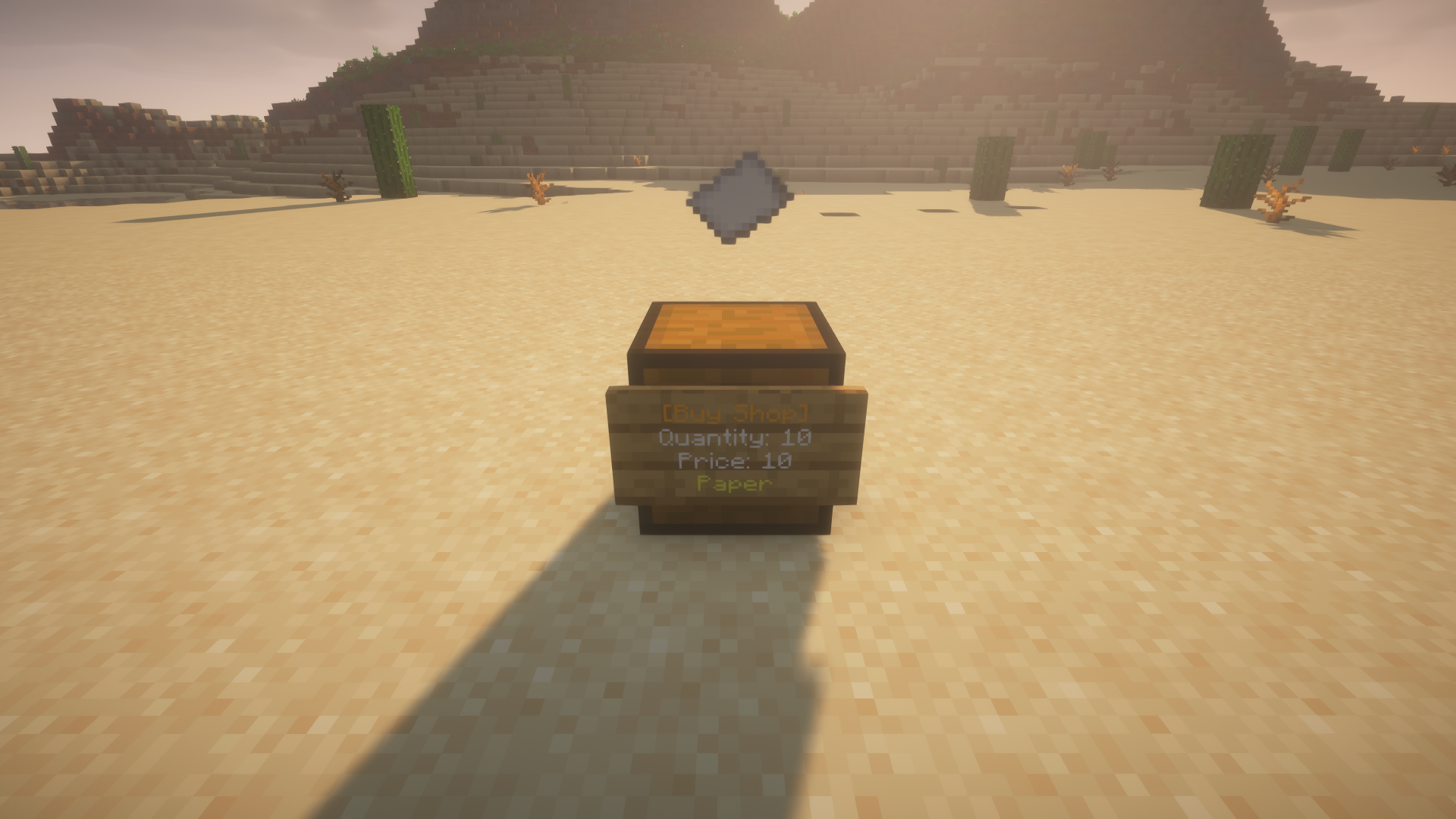
Buy shops allow players to buy items from chest shops. To create a buy shop, place a chest and add a sign with the following text:
[Buy Shop]
Quantity
Price
Item
Sell shops
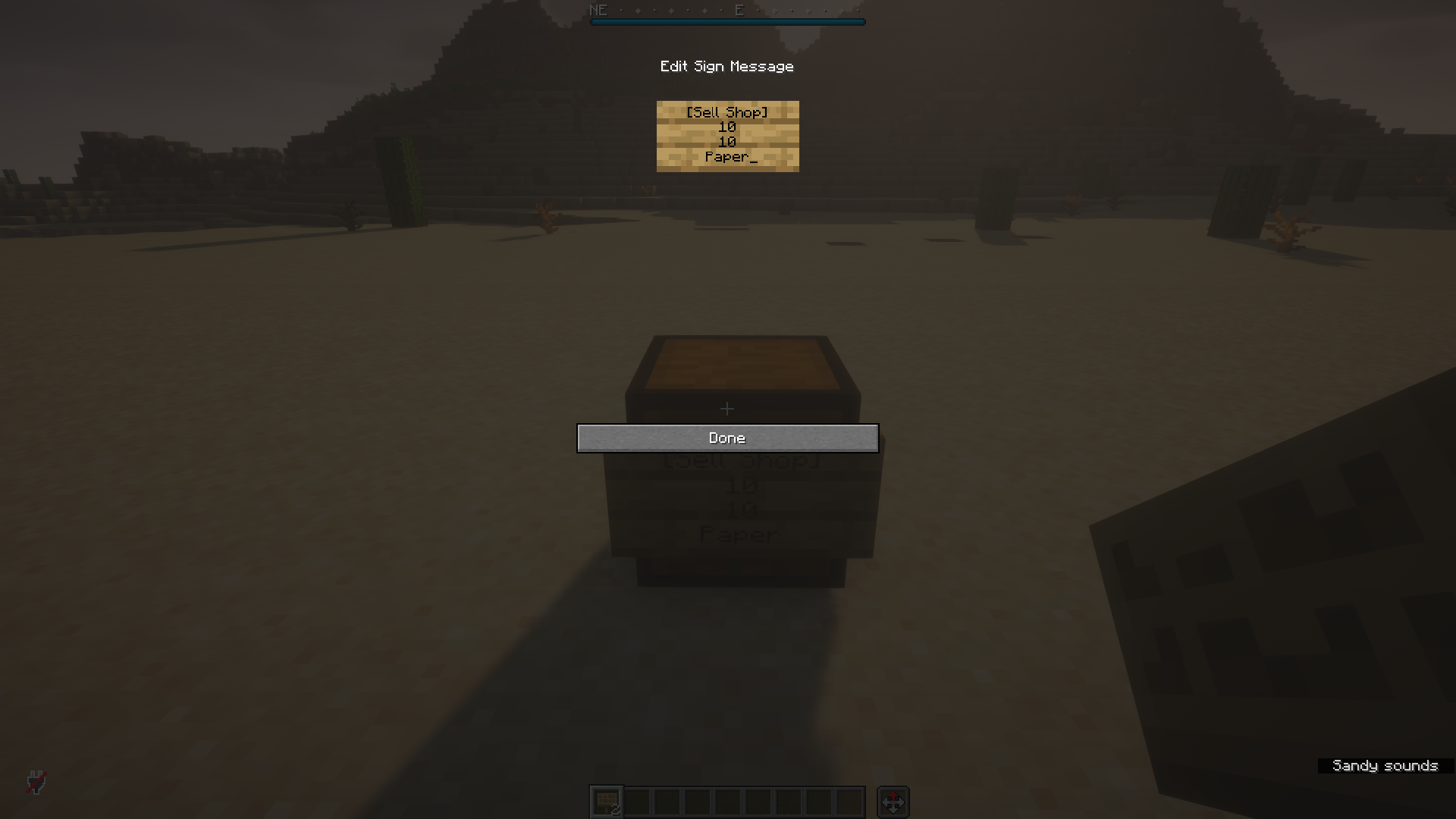
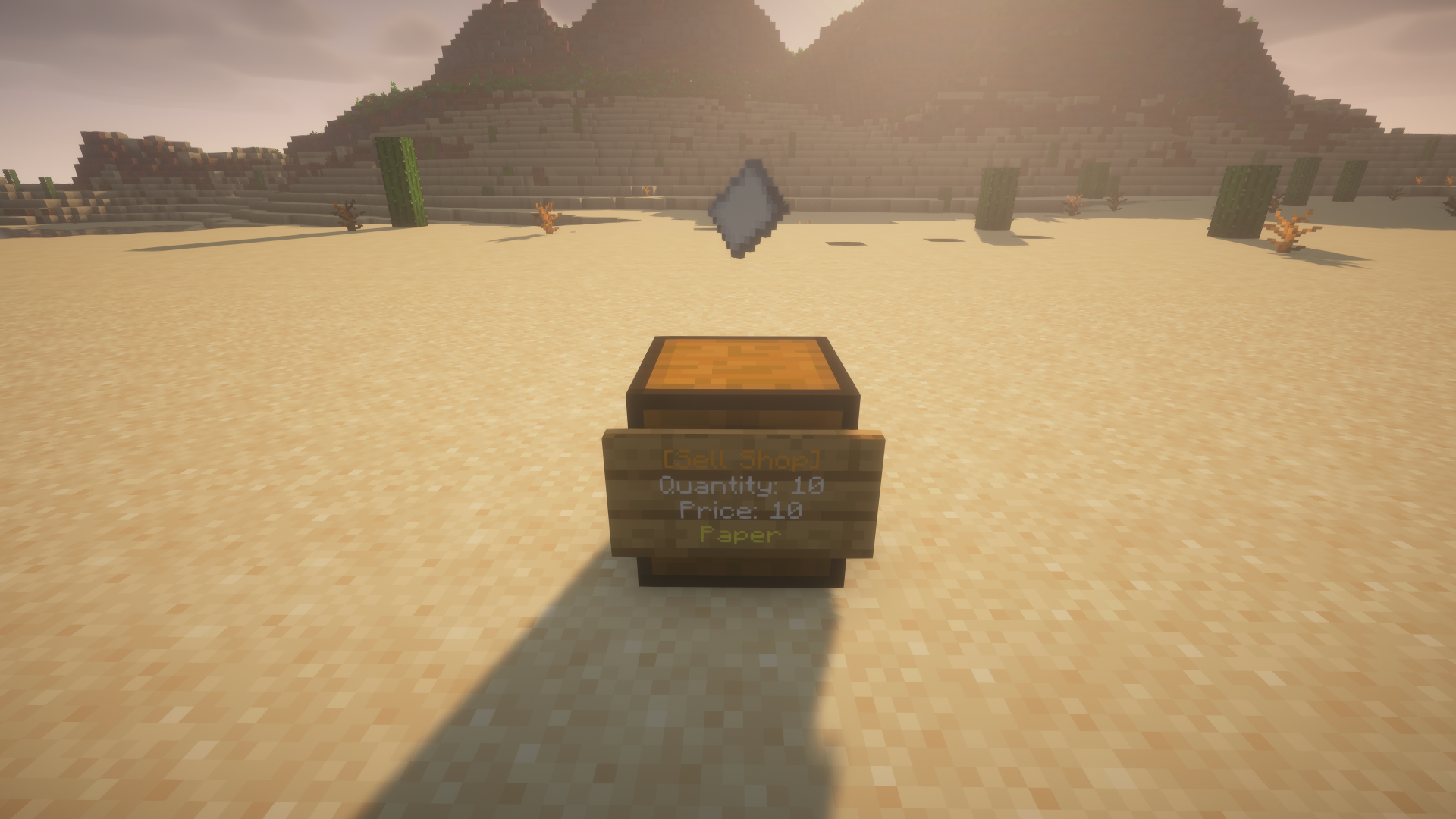
Sell shops allow players to sell items through chest shops. To create a sell shop, place a chest and add a sign with the following text:
[Sell Shop]
Quantity
Price
Item
Shelf shops
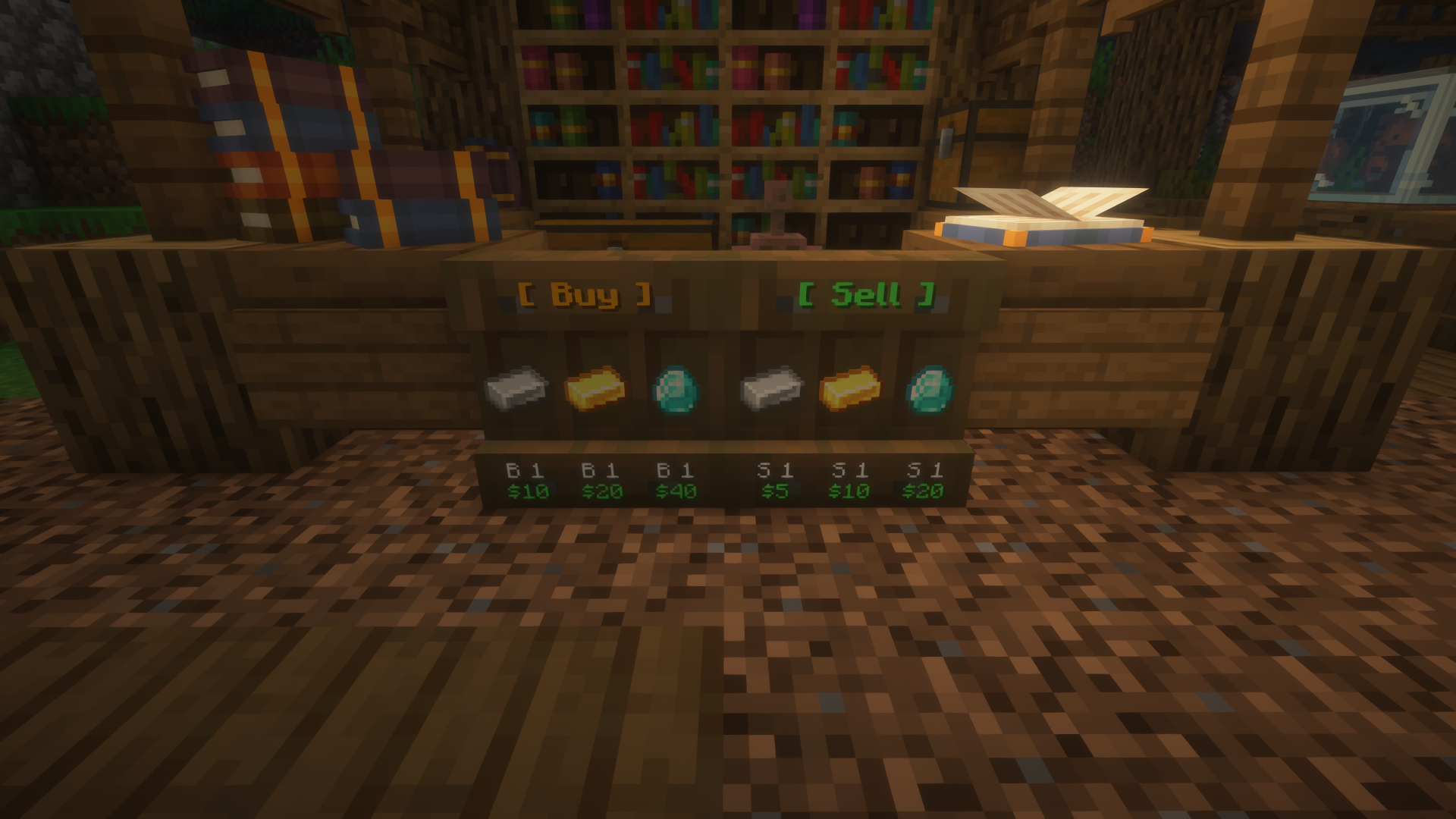
Shelf shops are a variant of chest shops in which players can display items on shelves. Unlike chest shops, shelf shops can display three items at once and are highly customisable. Shelves can have four states: buy shops, sell shops, mixed shops (e.g, buy, sell, buy shelf slots), and admin shops, the latter of which cannot be accessed by players. To create a shelf shop, place a shelf in front of a chest. It is important that the chest already contains the items to be displayed. For each slot, the menu offers four settings: the item taken from the chest, the type of shop (buy or sell), the price, and the quantity. Once you have finished the setup, close the menu to set up the shop. If you want to edit the shop, shift-right-click it.
Notes
For clarification, each line on the chest shop sign must contain the following:
- Quantity: The player must specify an item quantity. The range is from 1 to 64. For example, if the shop owner wants to sell 64 diamonds, they would need to type
64. - Price: The player must specify a fixed price per quantity. The range is from 0 to 2,147,483,647, and decimal values are allowed. Additionally, numerical notations such as K (1,000) and M (1,000,000) can be used. For example, the shop owner can enter
3.14Kas the price, which will be converted to3,140. - Item: By default, if this line is empty, the plugin will select the first item in the chest as the product to be bought or sold. If you specify an item, simply enter its name.